See your runs in context.
Keep recording with Apple Fitness, Strava, or any compatible app that saves running workouts to the Health app. PaceLens reads that history on your iPhone and organizes it into focused views for filters, heart-rate zones, cardio fitness, progress, and CSV export.



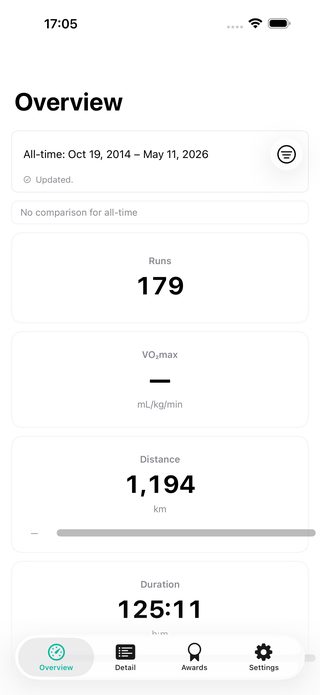
Start with your existing data.
No new account, no new tracking habit. When a run is in the Health app, PaceLens shows distance, pace, heart rate, cardio fitness, and progress in one readable view.
- Reads compatible running workouts from the Health app on iPhone.
- No account needed for normal use.
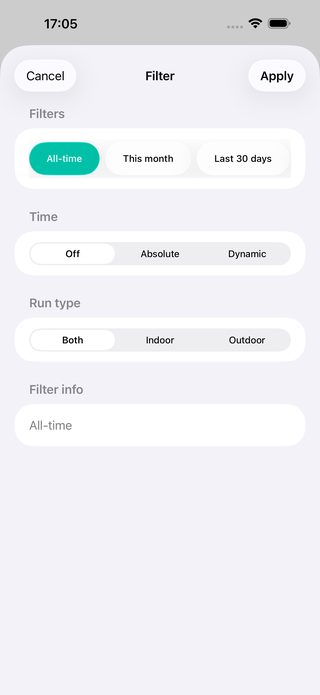
Filter the view first.
Choose all-time history, recent windows, date ranges, or indoor and outdoor runs before you compare a trend. PaceLens keeps distance, pace, heart rate, and zone context tied to the filtered view when the data is available.
- Date, time period, and run-type filters.
- Heart-rate-zone pace and context when the needed data exists.
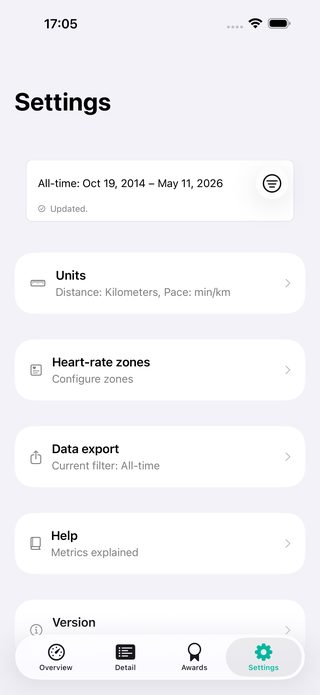
Export the filtered view.
When you want to inspect your data elsewhere, PaceLens creates a CSV from the filtered running view on screen. The file is created locally and leaves your device only through the iOS share sheet you choose.
- CSV export from the current filtered view.
- Created locally and shared only when you choose.
Reads compatible running workouts from the Health app on iPhone.

PaceLens for iOS
Review your running history with more context. Open PaceLens on the App Store.
View on the App Store